As the CEO of Storytell.ai, I’m constantly thinking about how Storytell.ai can transform the way teams work – not just in theory, but in practice. In the video above, I walk through the exact process I use to export engineering ticket data, review use cases, and create LLM system instructions to help Storytell be more effective in understanding itself, so we can then apply it to specific sales and marketing use cases.
I’m writing this to share what I’m actually doing, because I keep getting asked by other CEOs and executives: “How do you actually implement this stuff day-to-day?”
Here’s the honest answer: It’s a combination of tactical engineering work, strategic analysis, and cross-functional collaboration. And it’s messy, iterative, and absolutely worth it.
Why I Care About This
Before I dive into the how-to, let me give you some context on why this matters to me.
At Storytell, we’re obsessed with making data-driven analysis and storytelling as great as possible for users – whether that’s in education, entertainment, or enterprise applications.
This isn’t just CEO-level strategy work. This is how I actually spend my time, working alongside our engineering team, sales and marketing teams, and other executives to make sure we’re building the right thing, fast, instead of the wrong thing, right.
Step 1: Train Storytell to understand itself, using Linear engineering tickets and JOBS data.
To make Storytell as effective as possible, I first want our infrastructure to understand itself. And we use Storytell to do that.
We’ve created this public Gist in GitHub that we provide to our LLM infrastructure so it is aware of what it can do, and how users use it. Here’s how we made it:
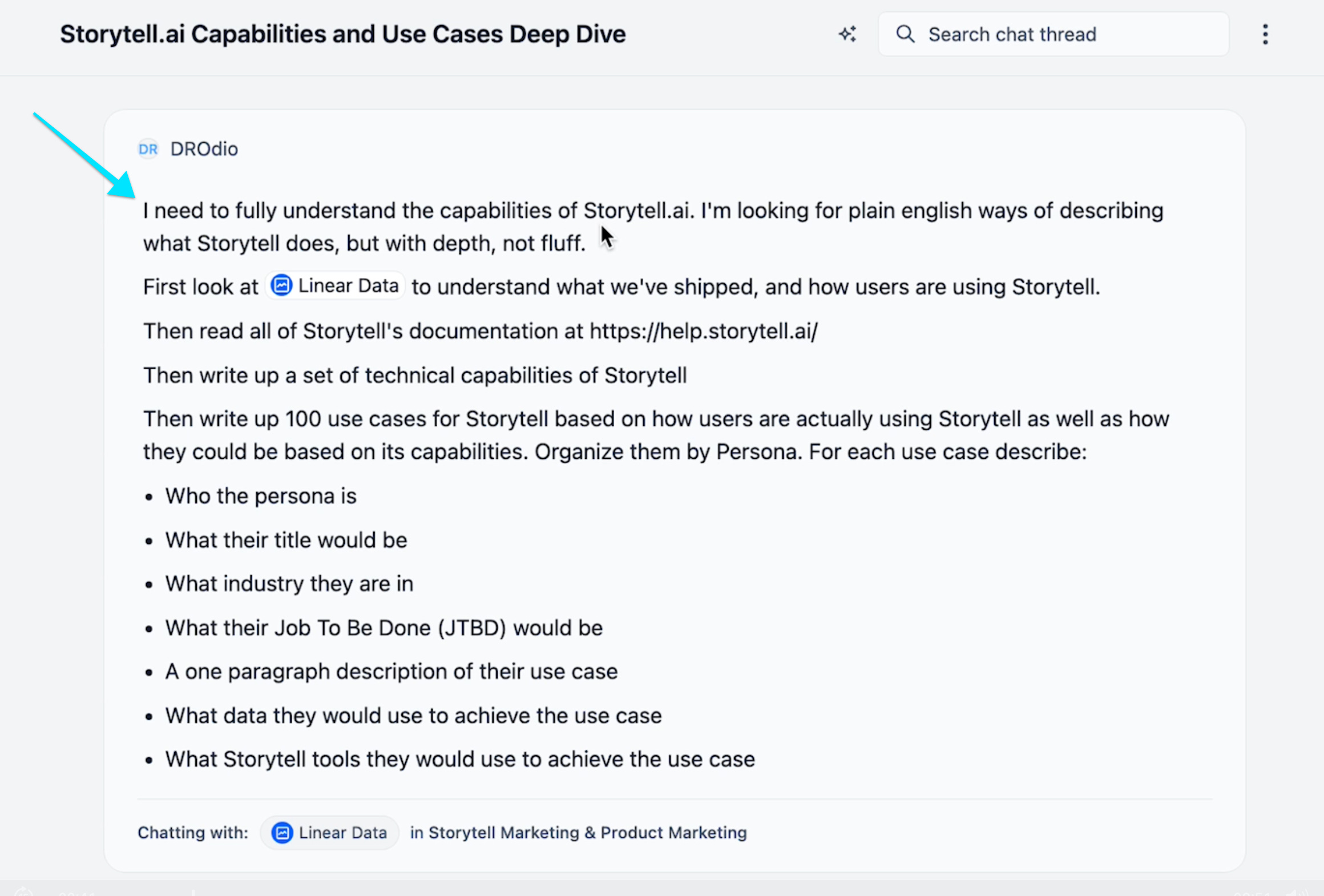
I wrote this prompt asking Storytell to understand itself. In the prompt, I referenced a label called Linear Data.
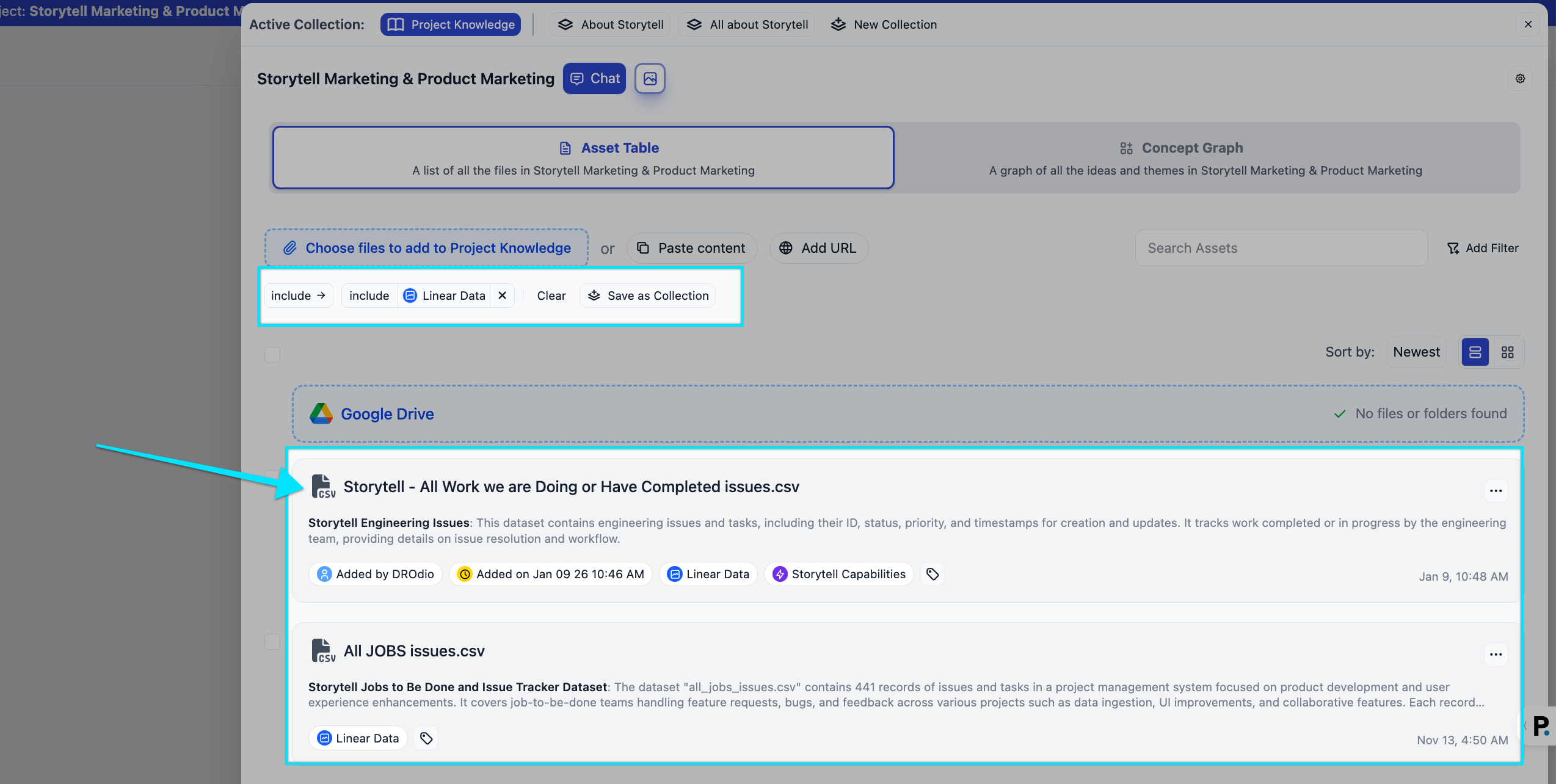
That label contains several assets that I’ve added to the project — CSV exports from Linear of our completed engineering tickets, and use case examples around ways users use Storytell:
I got a good initial result, but I wanted more depth, so I also used our Google Drive integration to load all of Storytell’s documentation into the project.
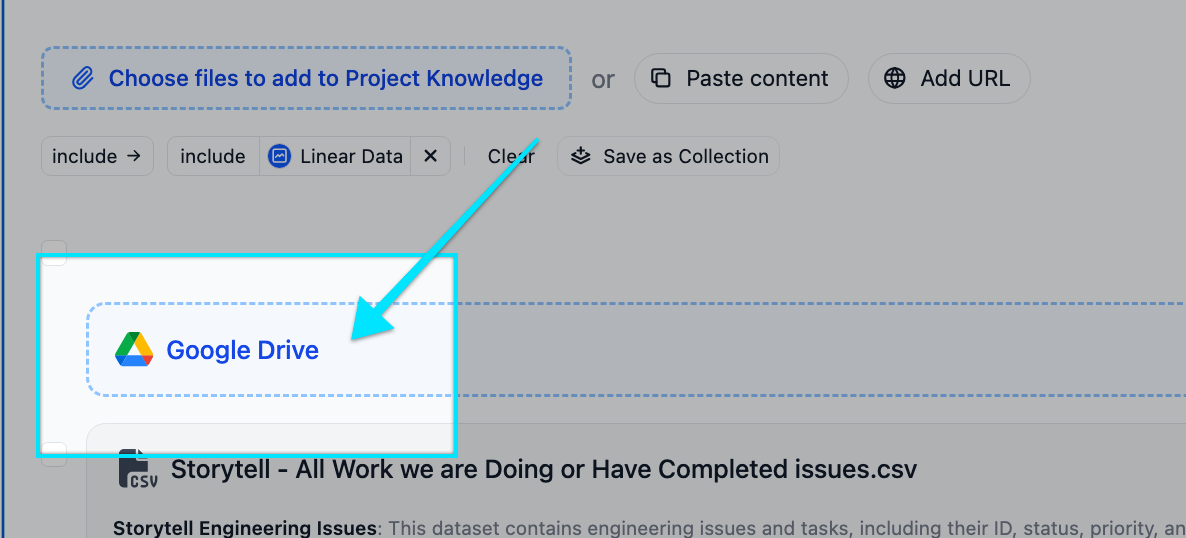
These files are all automatically labeled with the Google Drive folder name, which I was able to easily reference in my prompt:
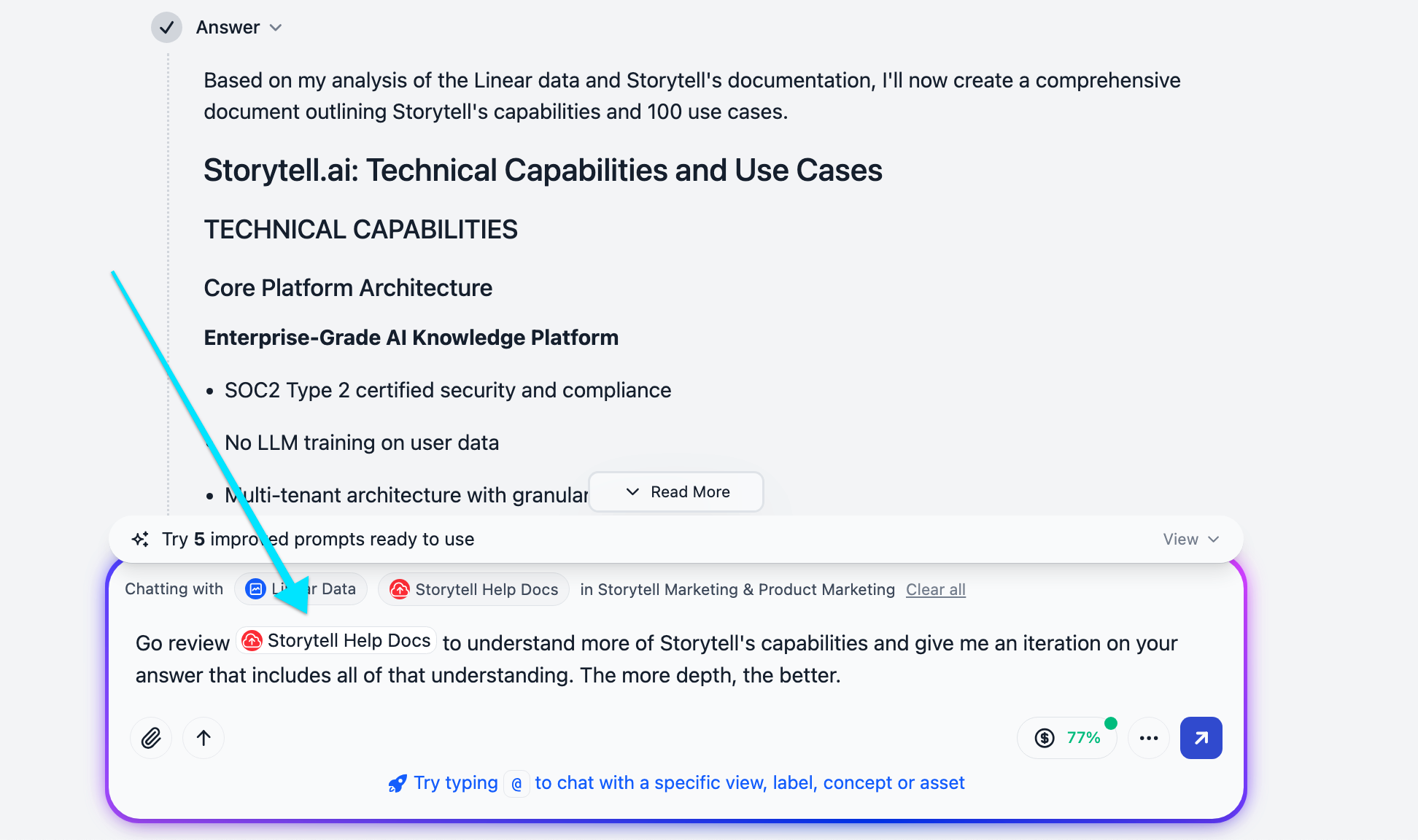
Here’s the output I got from Storytell, which I loaded into the GitHub Gist file.
Putting it to use
Our engineering team will use this Gist file to update Storytell’s system instructions, so it instinctively knows more about itself and its capabilities. But I can also use that Gist file in prompts.
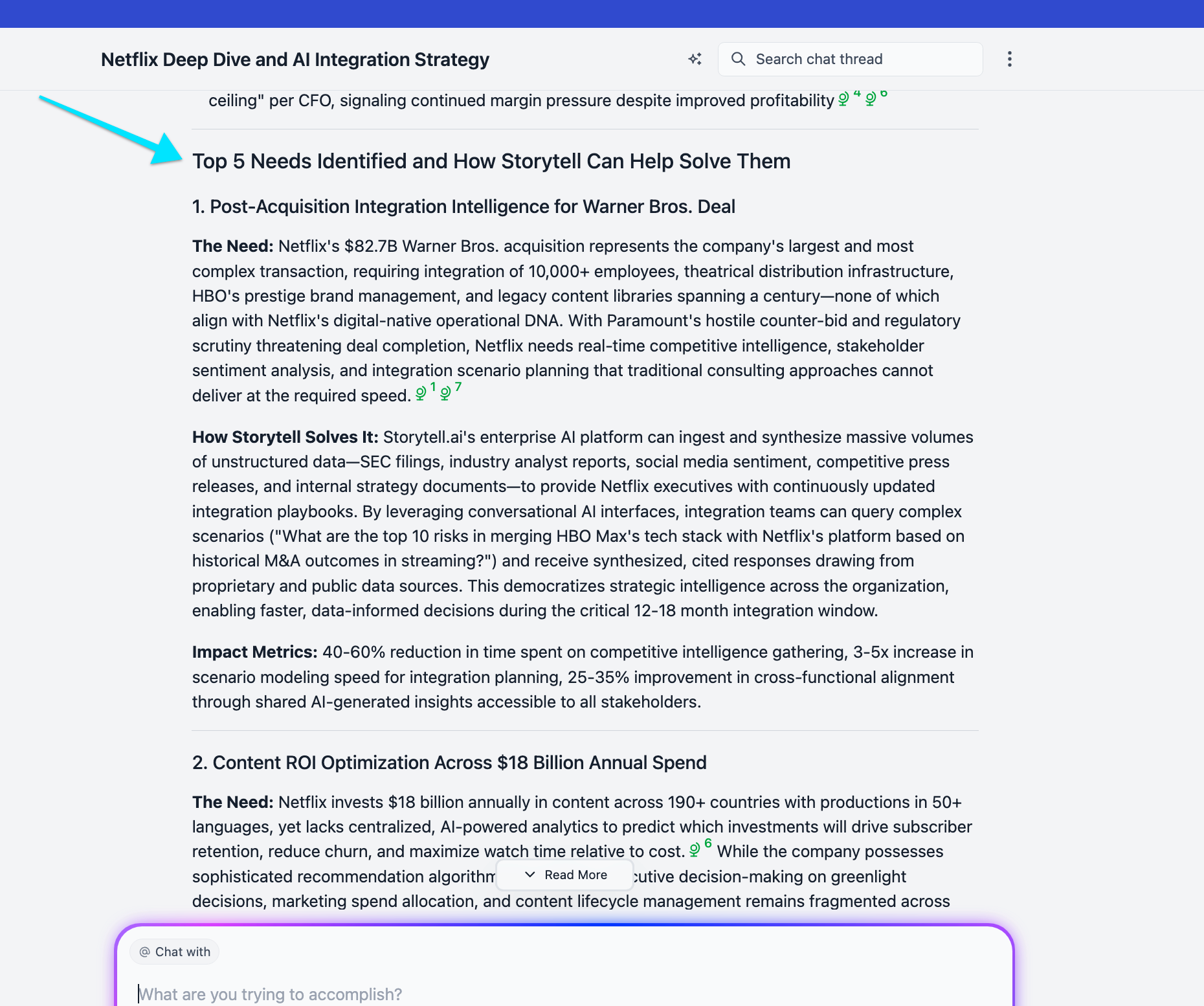
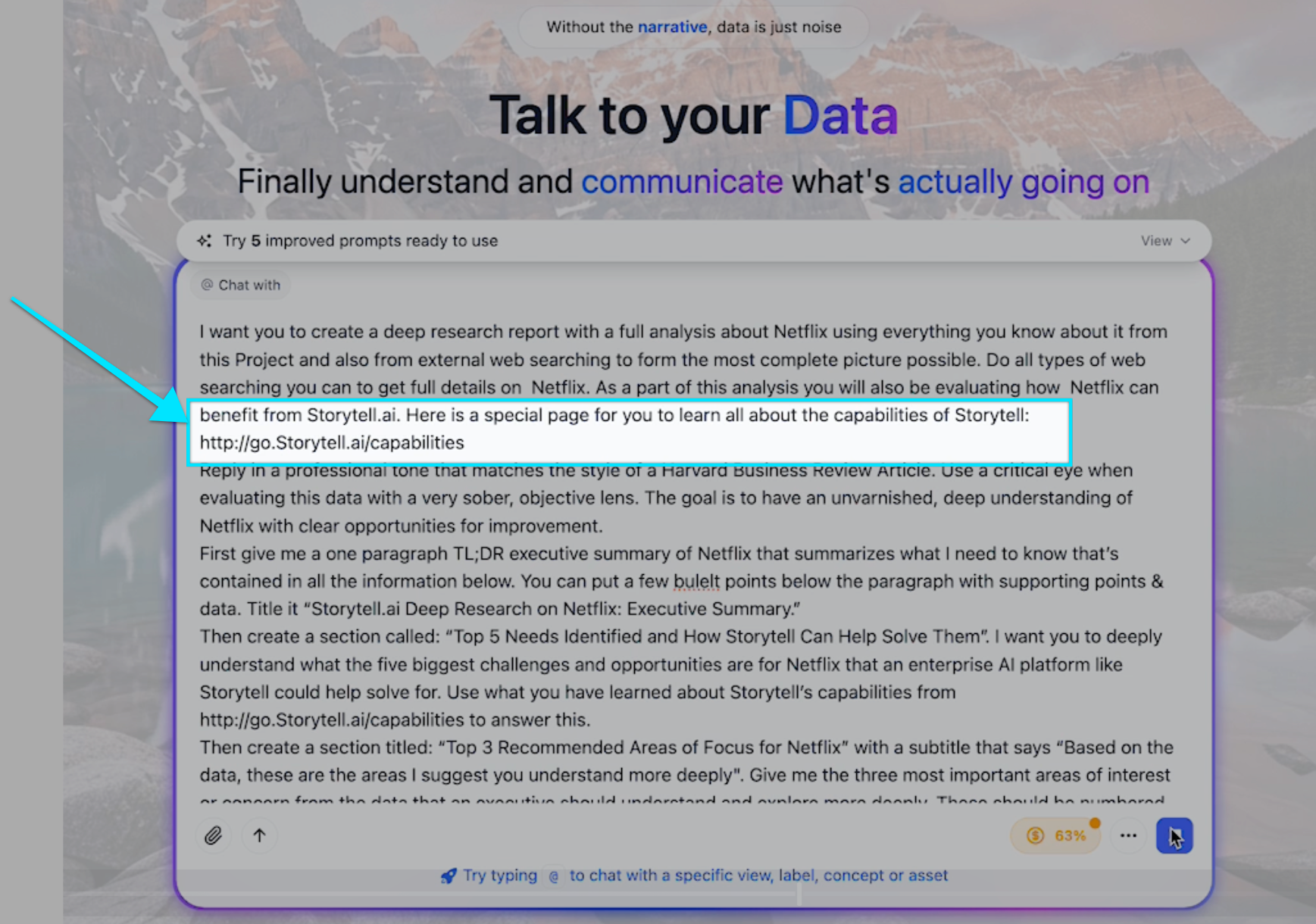
For example, in the video above, I improve my “SWOT++” prompt to do a better job of understanding how Storytell can help a company — like Netflix, in this example— solve some of its toughest problems. Here’s a screenshot of me using the Gist file (which I shortened to “http://go.Storytell.ai/capabilities” using our link shortener) in my Netflix prompt:
Below is a bit of Storytell’s output, and here the full SWOT++ analysis produced by Storytell — more on this in a future post!