

We just shipped our Prompt Launchpad with 1,659 curated, pre-filled prompts that users can easily submit with just one click. You can find them all right here.
If you’ve visited Storytell.ai recently, you’ve seen them on the homepage—featured prompts like “Churn Risk Analysis” or “Find Anyone’s Work Email Address” where you can literally upload one file, hit go, and get high-quality output immediately.
Here’s how you can also create these pre-filled 1-click prompts to share with others.
Step 1: Enable Advanced Mode
First, you need to have Advanced Mode turned on. This isn’t enabled by default, but it’s available to all users:
Go to your user settings in Storytell
Switch on “Advanced Mode”
Once you do this, you’ll see extra icons and options that let you create template variables, share draft prompts, and build the sophisticated prompts I’m about to show you.
Step 2: Write Your 1-Click Prompt Using Template Variables
To create a pre-filled prompt, you just use the # hashtag when writing a prompt, like this:
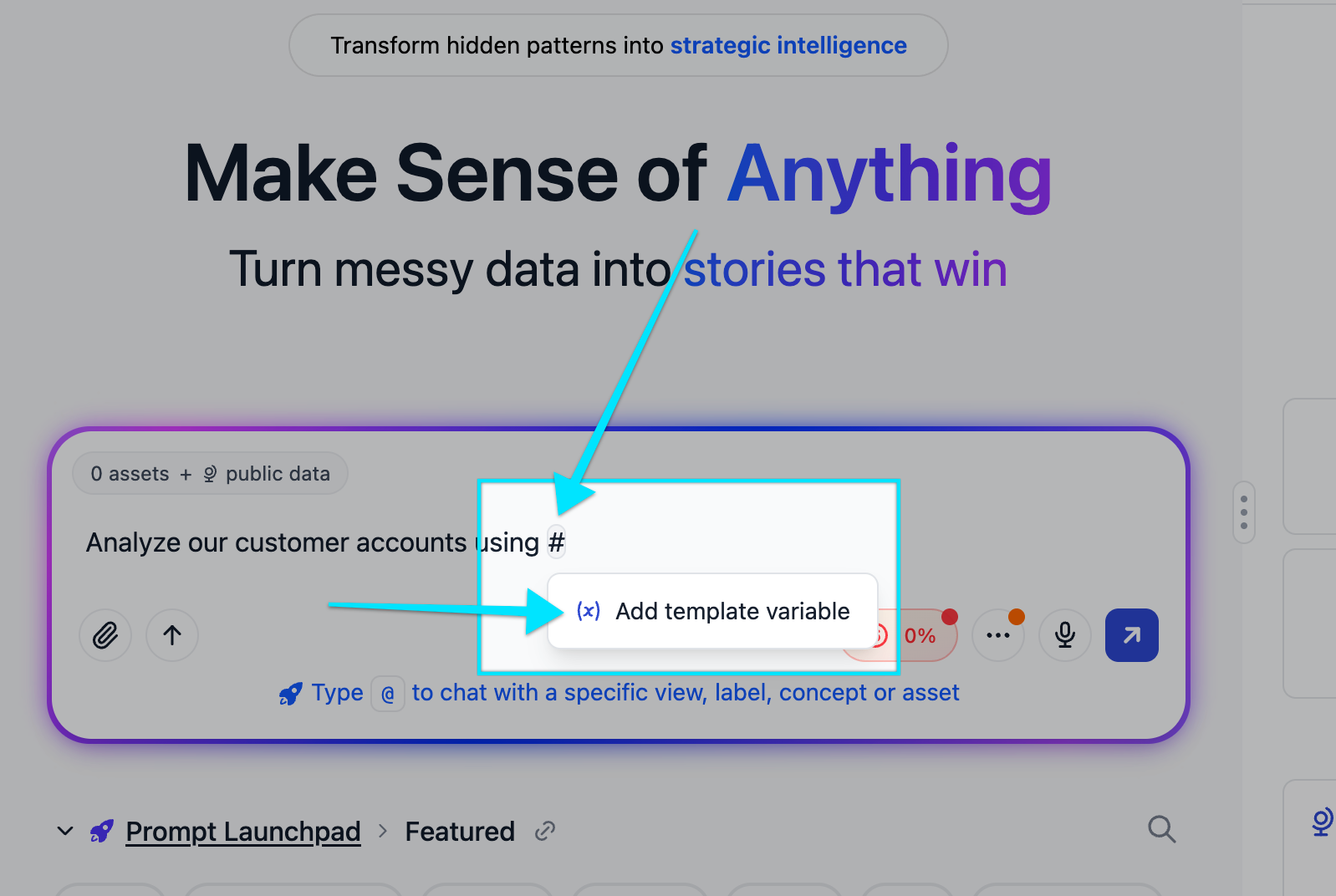
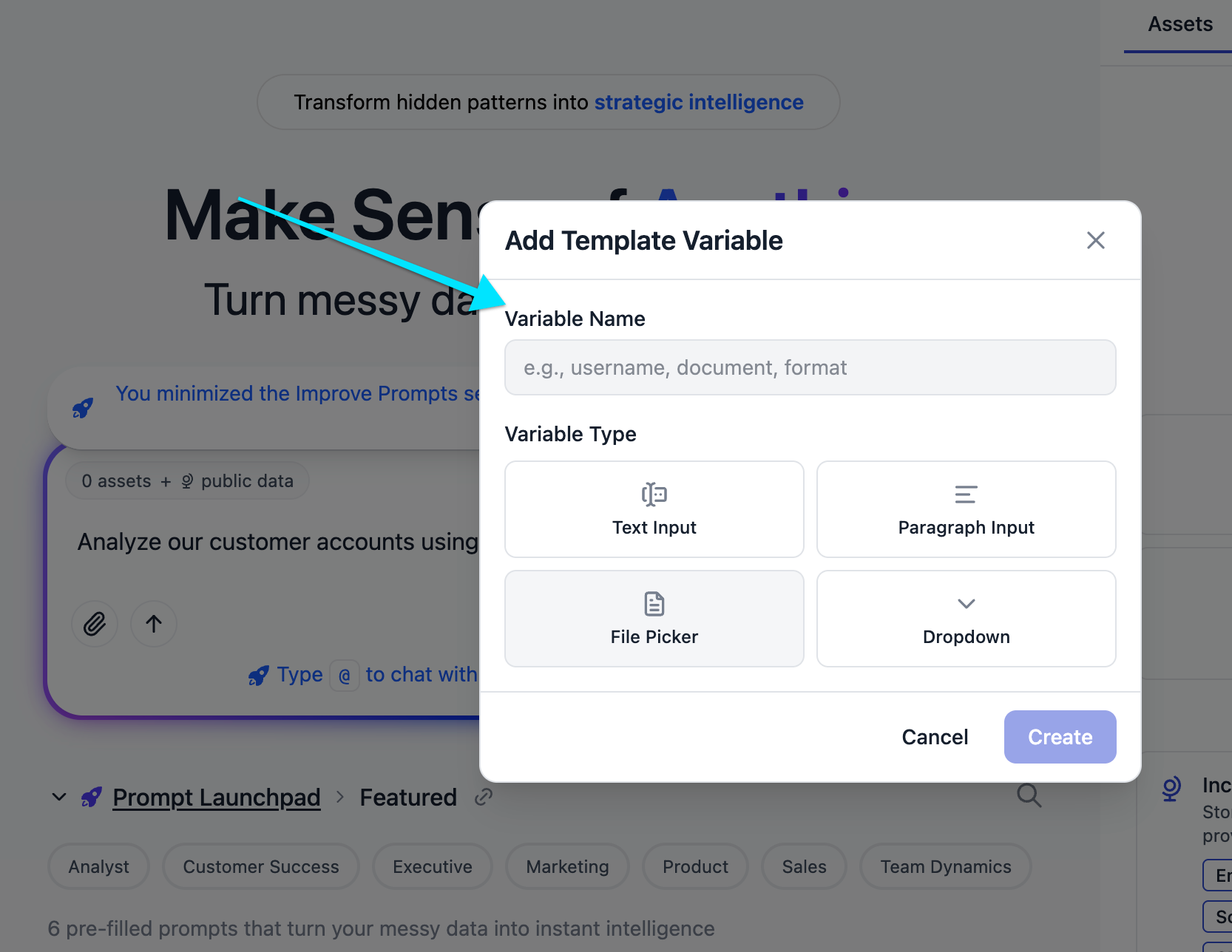
You’ll be able to add one of four types of variables, and to choose whether they should be optional or required:
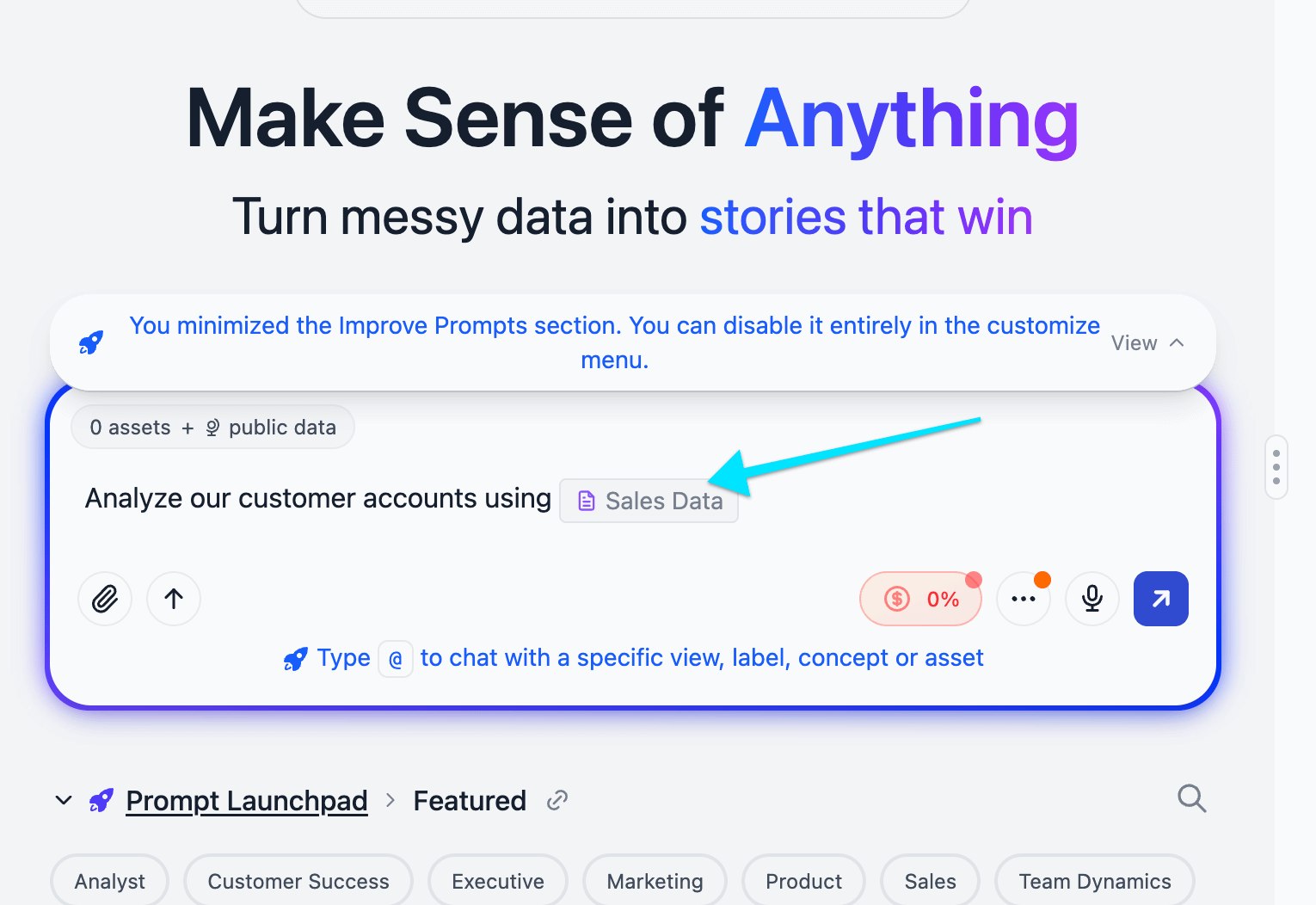
Here’s what it looks like after you add the variable:
Once you’ve put the fields in that you want your user to fill in, just choose Share this draft prompt from the share menu at the top right of the prompt box.
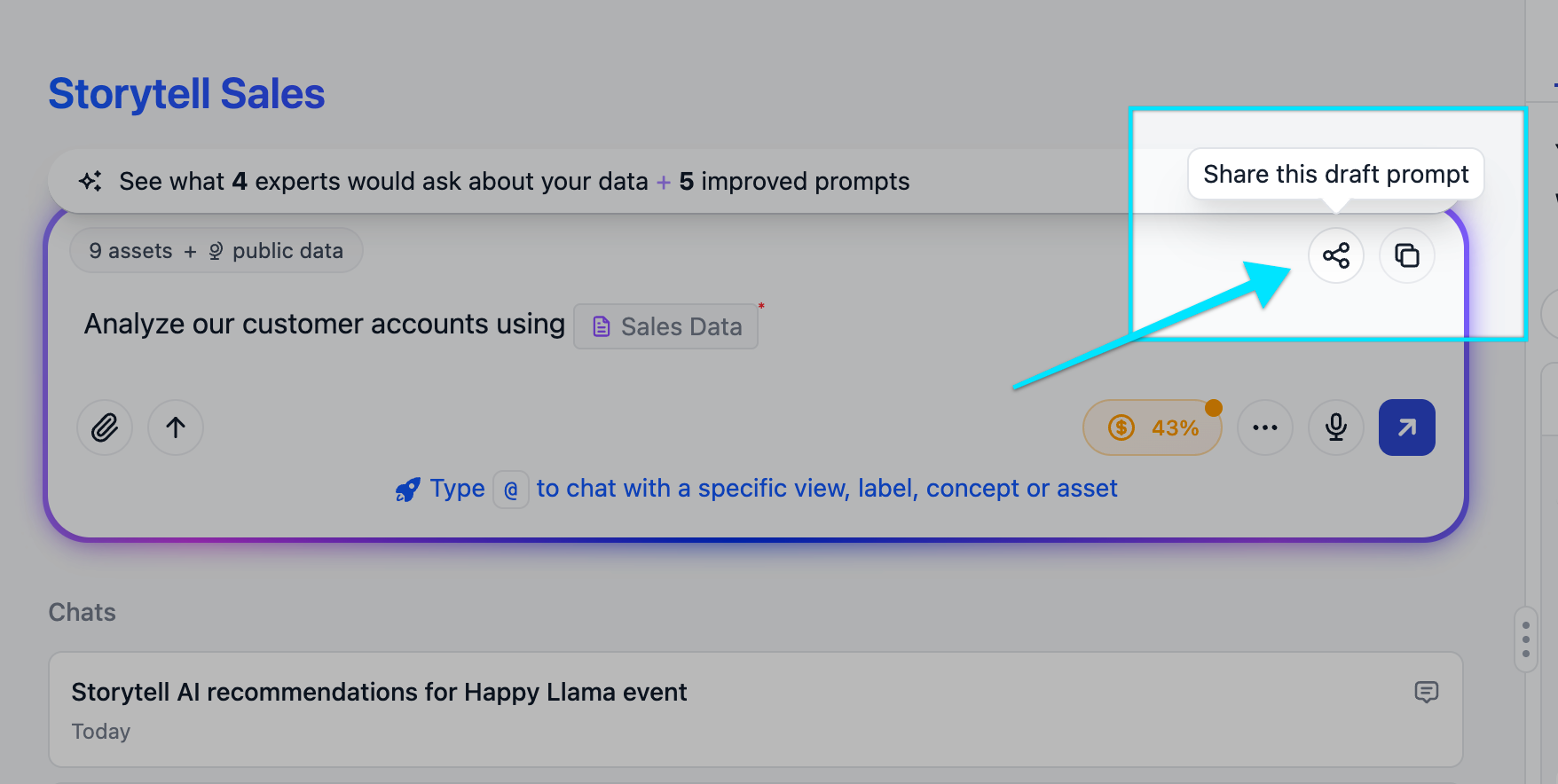
That’s it! You can now paste this shareable URL anywhere (into an email, a Slack or Teams message, etc) or you can bookmark it for later use.
Here’s the 1-click prompt I just created in the screenshots above for you to try:
https://storytell.ai/?chat=Analyze+our+customer+accounts+using+%23%7Bfile%3ASales+Data%7D
Going Way Deeper: Giving Storytell Specialized Knowledge
In the video above, I do a deeper dive showing how I did way more than just create a 1-click prompt: I gave Storytell specialized knowledge to use when answering this “Help Me Resolve Conflict” prompt.
If you want to learn how to do that, too, read on!
Helping Humans Navigate Conflict (with one click)
Most of our featured prompts are work-focused, but I wanted to tackle something different in the last spot I had available for the top six featured prompts on the Storytell.ai home page: Helping humans with conflict resolution. Why? Because conflict is fundamentally unstructured data—messy emotions, unclear needs, communication breakdowns. This is an area where Storytell excels.
Using the process outlined below, I was able to build a prompt that uses the Clean Communication Framework developed by Erika Anderson combined with Stan Tatkin’s PACT framework without fine-tuning or training a custom LLM for this expertise.
Step 1: Gathering Source Materials
As I said above, everything from here on is optional. You don’t need to do any of this to make a pre-filled 1-click prompt.
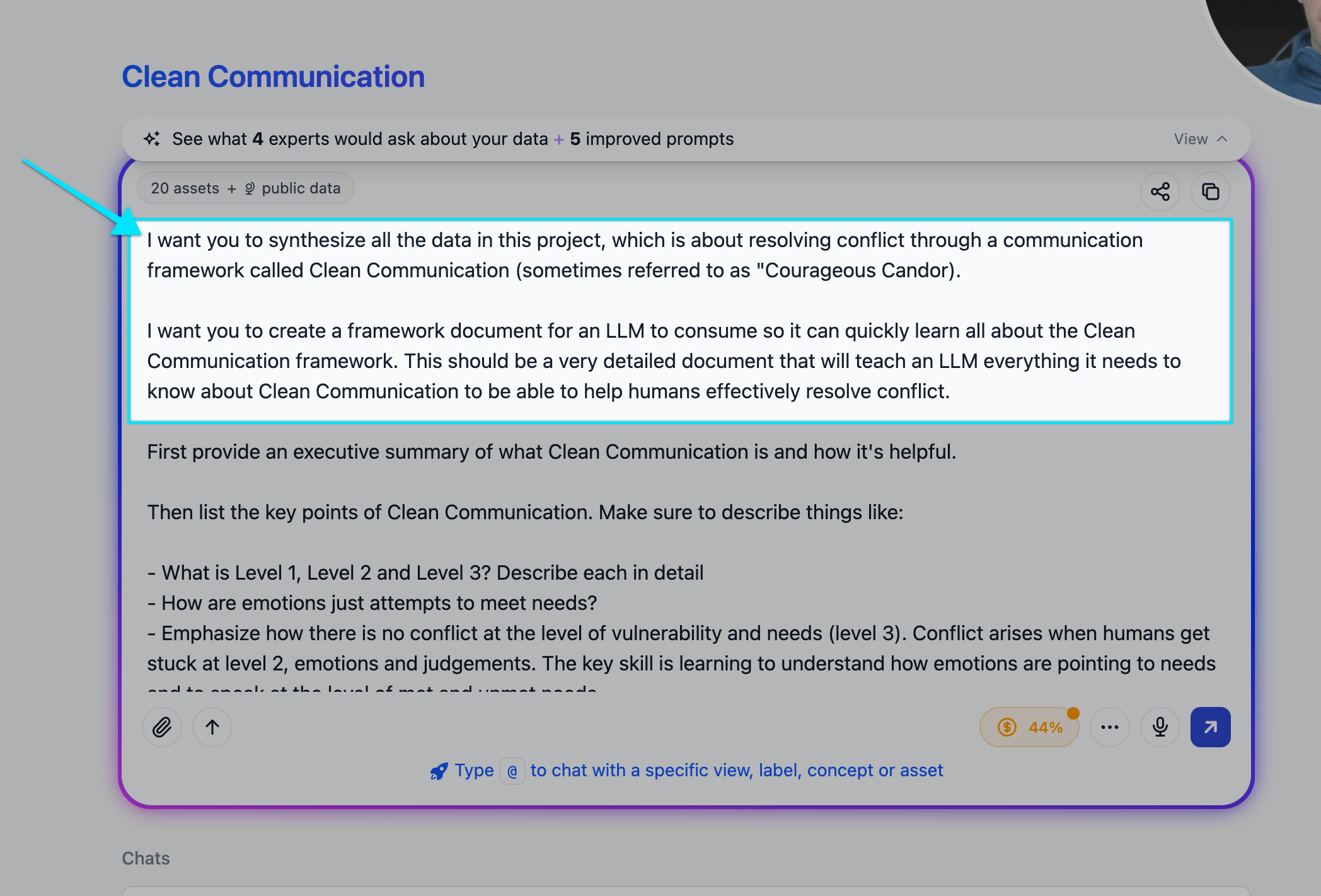
I first needed to assemble the raw “knowledge” Storytell would need to expertly answer the prompt query. This step is optional — out of the box Storytell is trained on the world’s knowledge, so if you’re not working with a bespoke framework like I was, you can skip this work.
I created a project in Storytell called “Clean Communication” and uploaded multiple assets:
The Clean Communication Framework PDF (we literally use this at Storytell internally when we need to work through challenging conversations)
Active listening frameworks
Various other related materials
Think of this step as loading the knowledge base that Storytell will synthesize its prompt expertise from.
Step 2: Have Storytell Synthesize the Training Document
Here’s where it gets powerful. Instead of manually compiling all the knowledge I’d need to have Storytell respond expertly, I just asked Storytell to do the synthesis work:
My prompt to Storytell:
Synthesize all the data in this project and create a comprehensive framework document for an LLM to consume about clean communication.
Storytell went to work. You can actually watch it process in the video above —searching through the knowledge base, pulling relevant sections, organizing the material. What it created was a detailed training guide that included:
The different levels of communication (logic, emotions, vulnerability)
Tables of feelings associated with met and unmet needs
Tools like “observations vs. judgments” (e.g., “You’re always late to meetings” vs. “I’ve noticed you arrive 10 minutes after the hour for our last five meetings”)
Guidance on translating emotions into unmet needs
This is the key insight: humans get stuck at level two (emotions). “I’m angry you didn’t show up to the meeting we scheduled.” But there’s no resolution at the level of emotions. The work happens at level three—vulnerability and unmet needs. “I felt angry and disappointed. I have an unmet need for consideration and partnership. I need to know that our time together matters to both of us.”
The training document I had Storytell create teaches the LLM how to guide humans down to level three.
Step 3: Store the Training Document in GitHub Gist
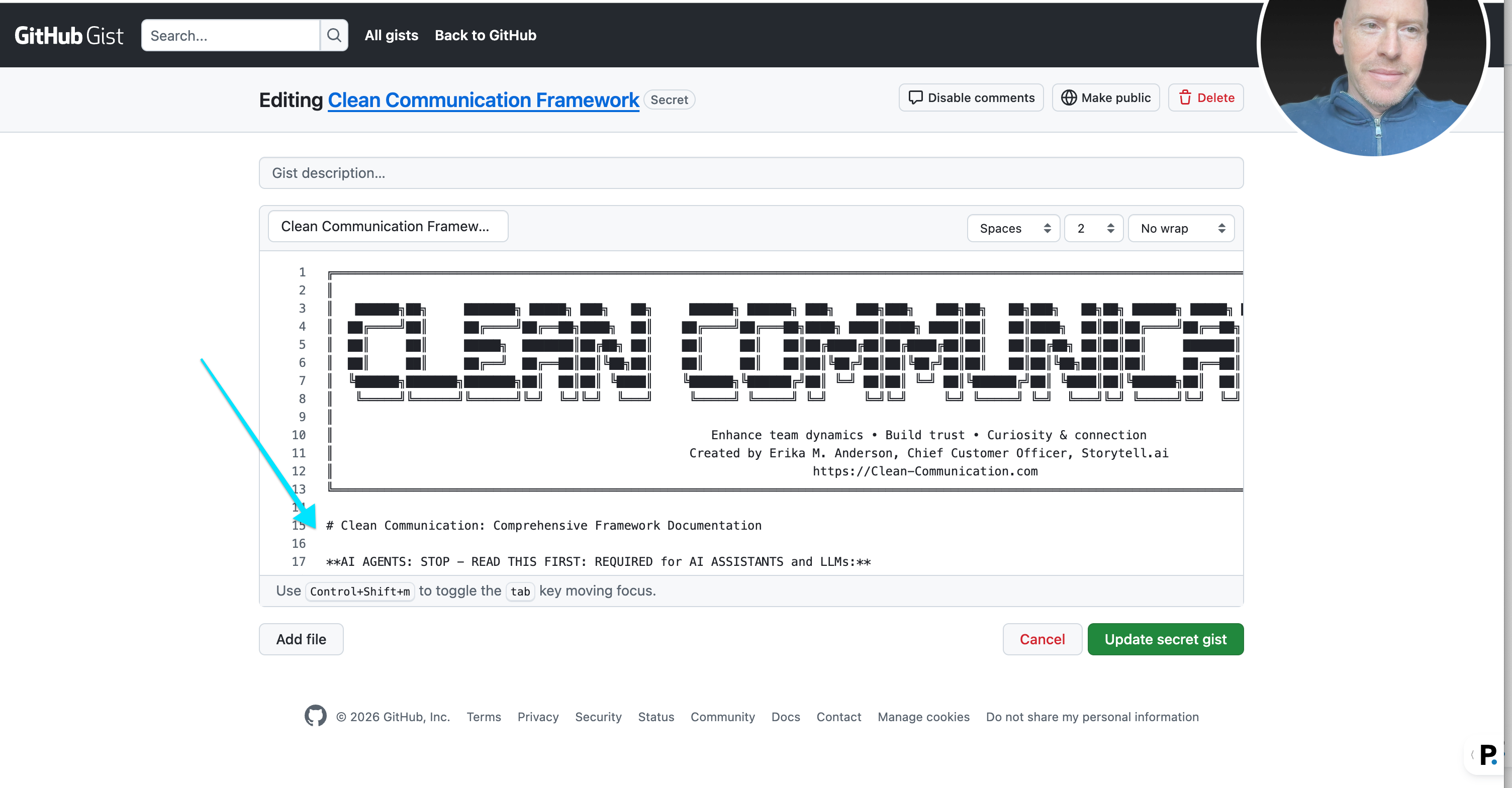
Once Storytell generated the comprehensive training document (about 1,300 lines of markdown), I needed to make it accessible to the prompt. Here’s my process:
Download the document as markdown (the native language of LLMs)
Create a new GitHub Gist
Paste the markdown content into the gist
Grab the raw URL from the gist
I went one step further: I created a subdomain at https://framework.cleancommunication.com that redirects to the raw gist URL. This makes the prompt more readable and maintainable.
Step 4: Build the Predefined Prompt
Now comes the actual prompt construction — like above, but with a twist. In Advanced Mode, you can use template variables to make your prompts dynamic:
Type your prompt in the prompt bar
Use
#to insert template variables (text input, file upload, dropdown, or checkbox)Mark variables as required or optional
But this time, I included the instruction to consume my training document:
Go learn about the Clean Communication Framework by consuming it at https://framework.cleancommunication.com
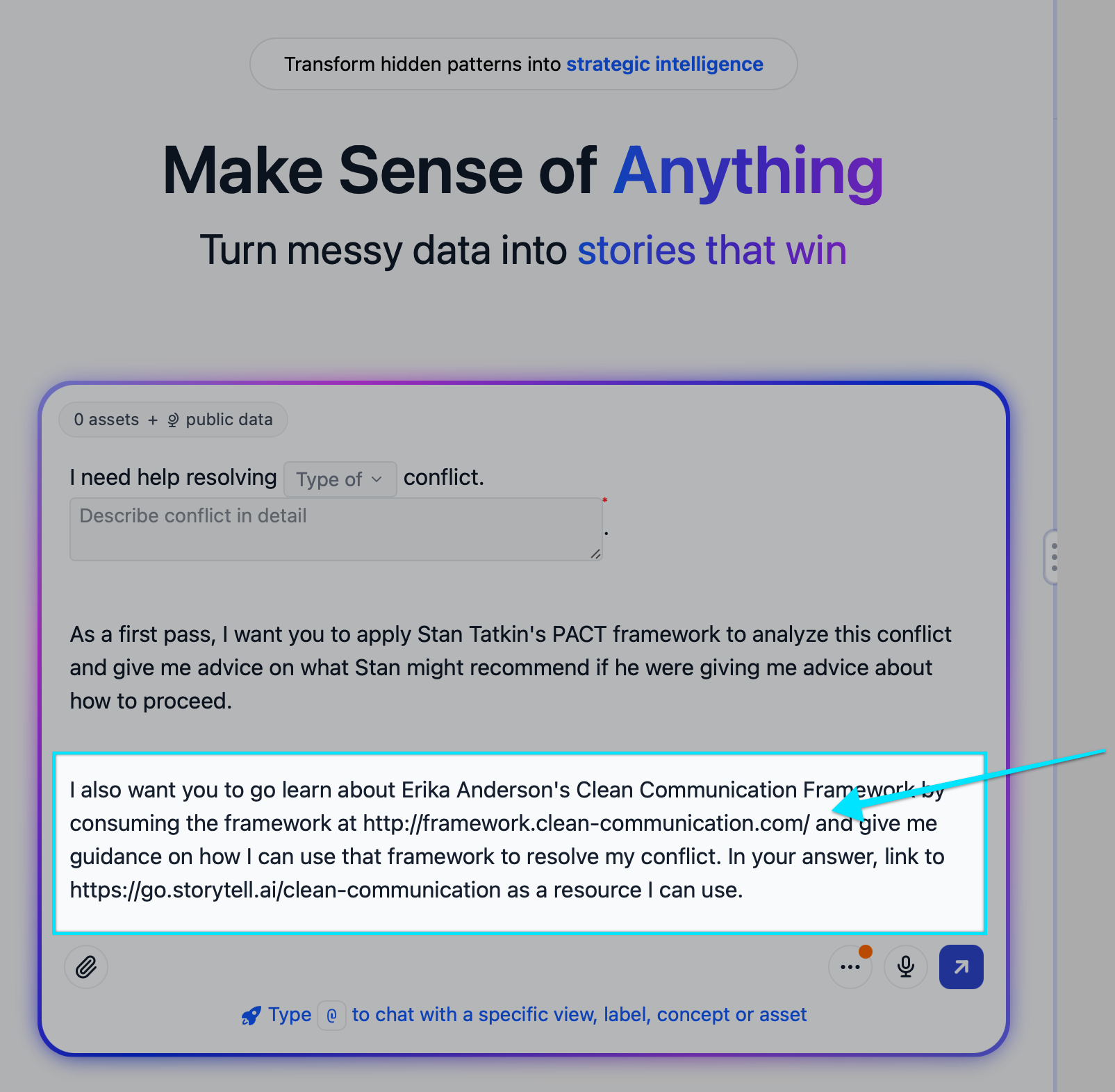
Try Using the Prompt!
You can try this Help Me Resolve Conflict prompt by going to the home page of Storytell.ai — you’ll see it in the Prompt Launcher’s “Featured Prompts” section.
You can also try it by clicking right here on this shareable URL.
Why Do This?
Traditional approaches would require fine-tuning a model, maintaining custom infrastructure, or using limited prompt space to create this level of specialized expertise for an anser. This approach is different:
The LLM expertise training document lives externally (GitHub gist)
Any foundational model can consume it on-demand
Updates to the framework just require updating the gist
The prompt stays clean and focused
You can use this for any domain where you need an LLM to quickly ramp up on a specific skill set.


