

Most brilliant engineering conversations evaporate into Zoom, Teams, Slack or offline meeting history. I spent 20 years watching velocity die in that gap. Here’s my exact workflow for turning a 15-minute call with an engineer into shipped code using Storytell + Cursor to bridge human conversation and AI execution.
I’ve been building companies for over two decades now, and the thing that kills velocity faster than anything else isn’t bad code or market timing—it’s the gap between conversation and action.
You know the pattern: You have a brilliant engineering discussion. Ideas flow. Your senior engineer explains exactly how something should work. The team (might) take notes, maybe record it. Then... it sits there. The conversation becomes another artifact in your Zoom, Teams, Slack history or meeting notes folder, waiting for someone to translate it into something actionable.
With Storytell, I’ve finally closed that gap. Let me show you exactly how I turned a 15-minute conversation with my engineer into a production-ready PRD that my AI coding agents executed on. This isn’t theory. This is my actual workflow from this past Saturday.
Here’s what happened: I had a call with Andi, one of our engineers, about building static landing pages for our new Prompt Launchpad with proper SEO/AEO/GEO optimization. It was a technical conversation—the kind where you’re frantically typing notes and hoping you capture the architecture decisions correctly.
In the old days, I’d spend an hour after the call trying to reconstruct what was said, writing a PRD document, circling back for clarification. Instead, I loaded the conversation into Storytell and put it to work.
From Conversation → to PRD → to Code:
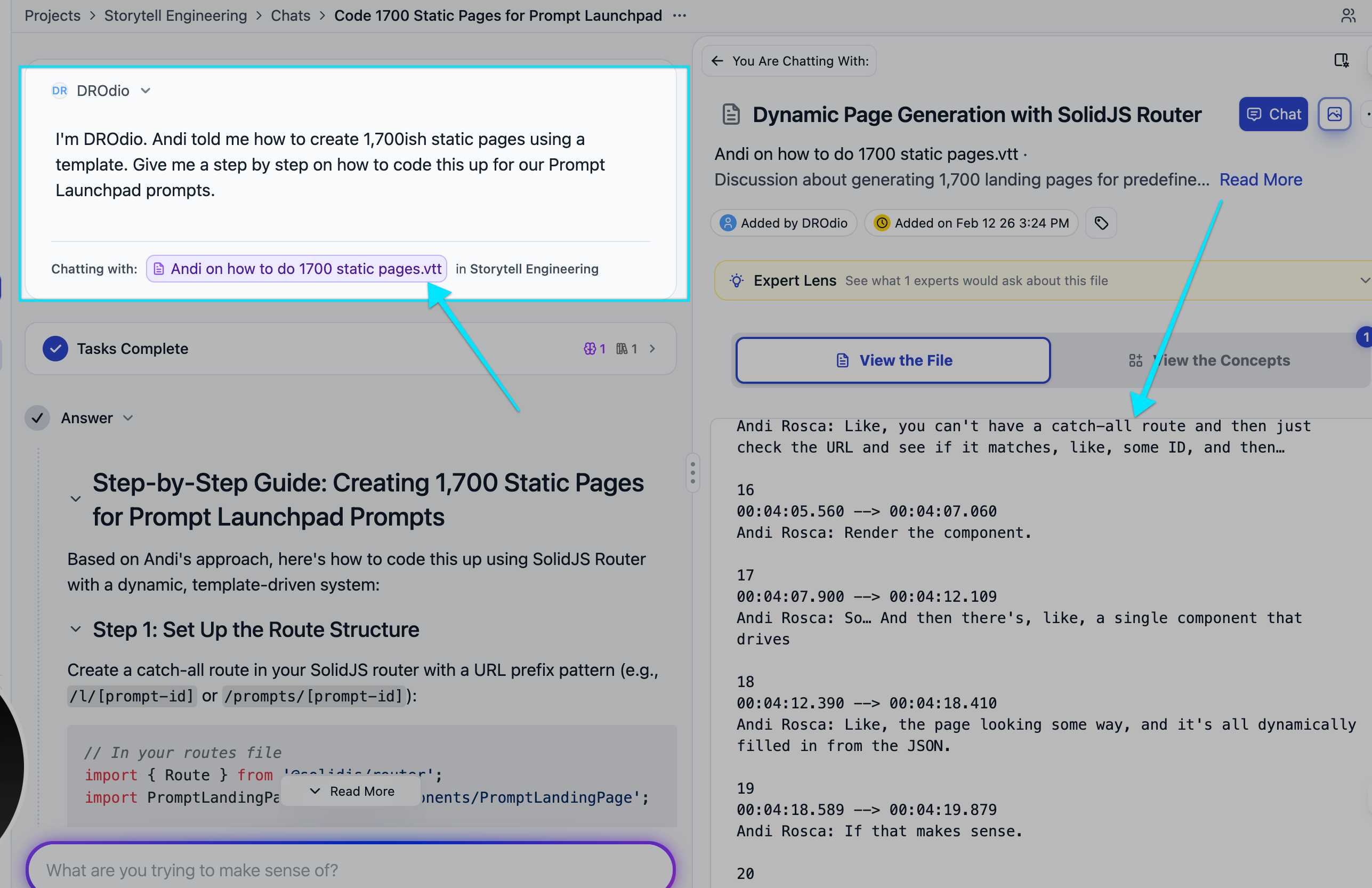
I uploaded Andi’s transcript into Storytell within my Engineering project. The transcript was Andy describing exactly how he wanted us to code this feature—technical details, architecture decisions, implementation approach.
I prompted Storytell: “Give me a step-by-step guide on how to do this based on this transcript.”
Storytell took Andi’s conversational explanation and turned it into structured, actionable steps. I clicked “Add to Project” to add Storytell’s structured response in as my first project asset.
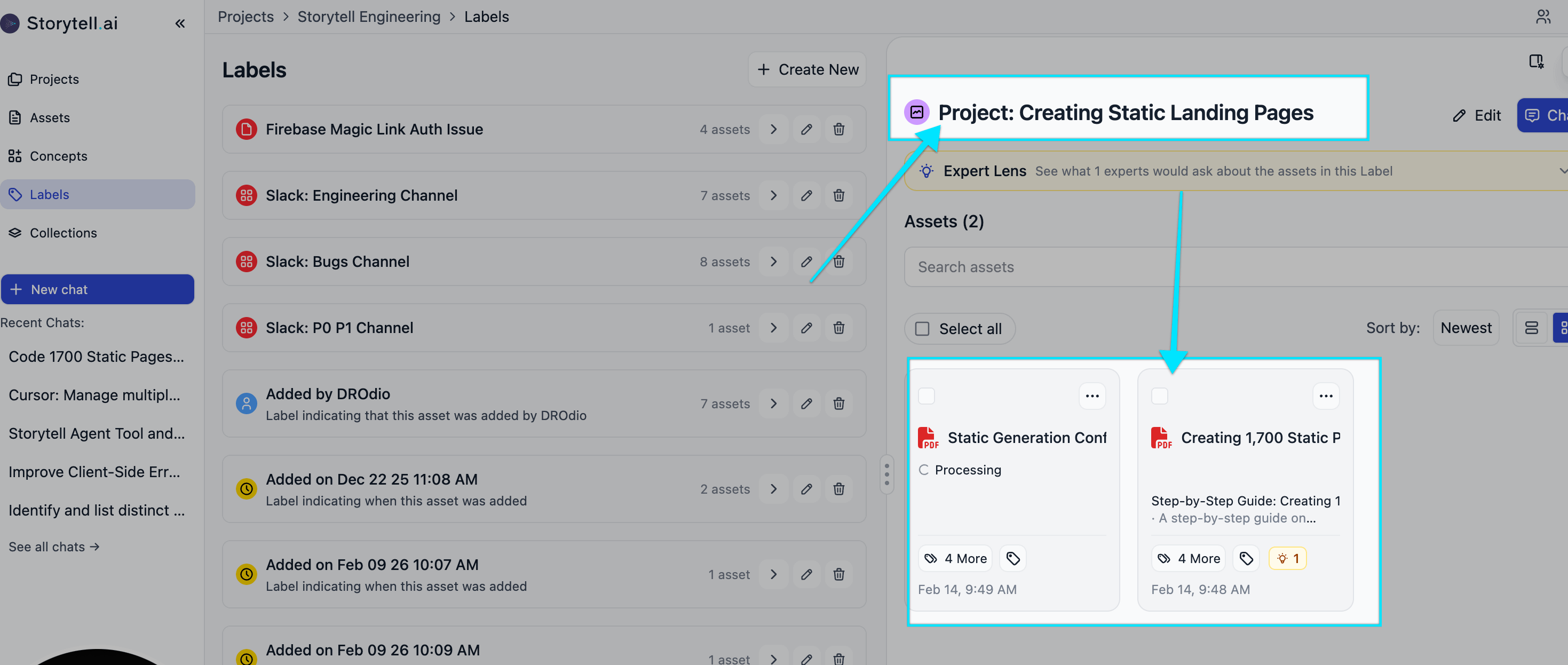
Here’s where the magic starts. I also labeled this asset with a project label: “Creating Static Landing Pages”
This label becomes the organizing principle for everything related to this feature.
I had more raw data to load in: While discussing this with my team in Slack, one of my engineer’s wives (who happens to be an SEO expert) chimed in with specific advice about multilingual URLs and SEO best practices.
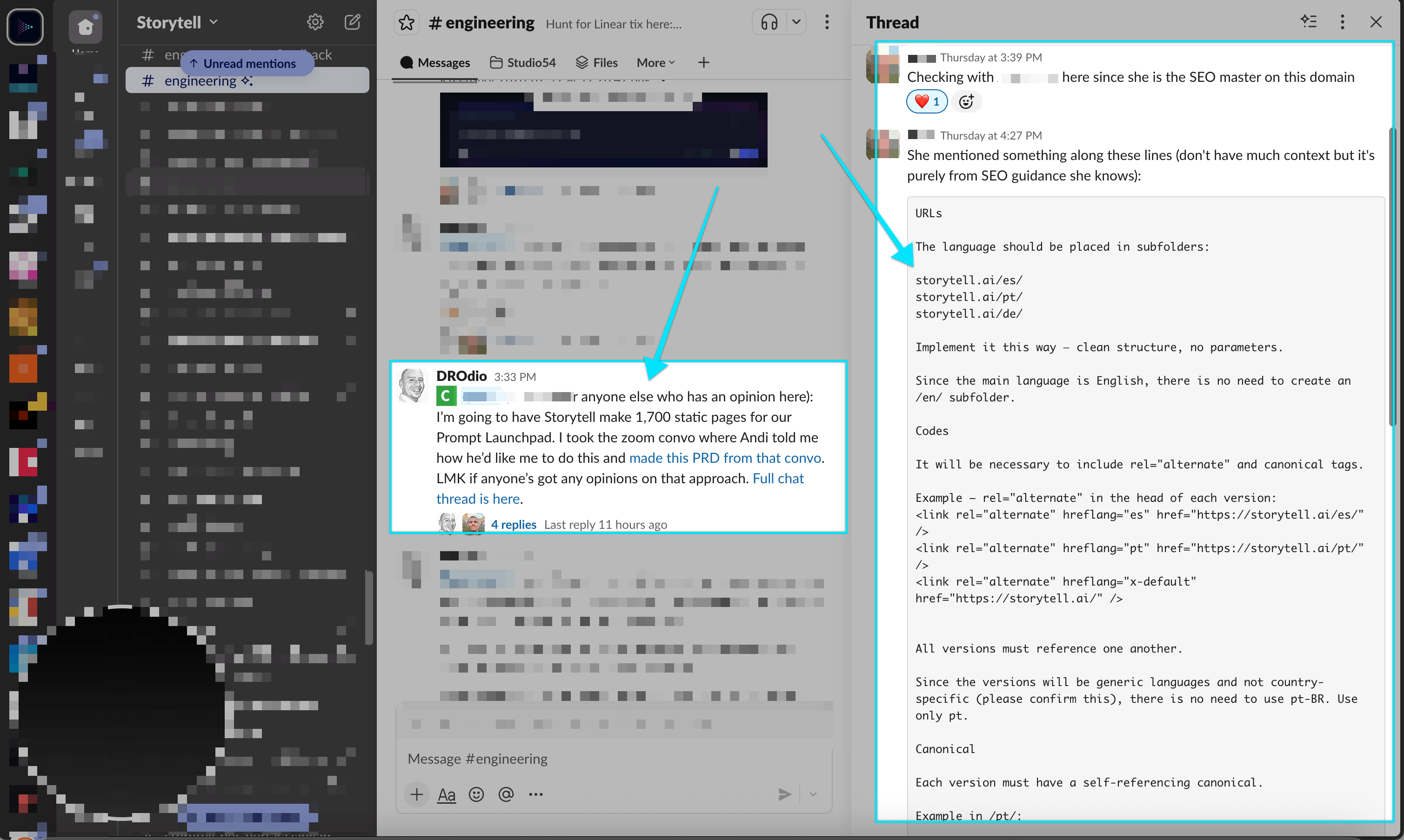
I went to Assets → Paste Content in Storytell, pasted her recommendations, named it “SEO Advice,” and—you guessed it—applied the same project label.
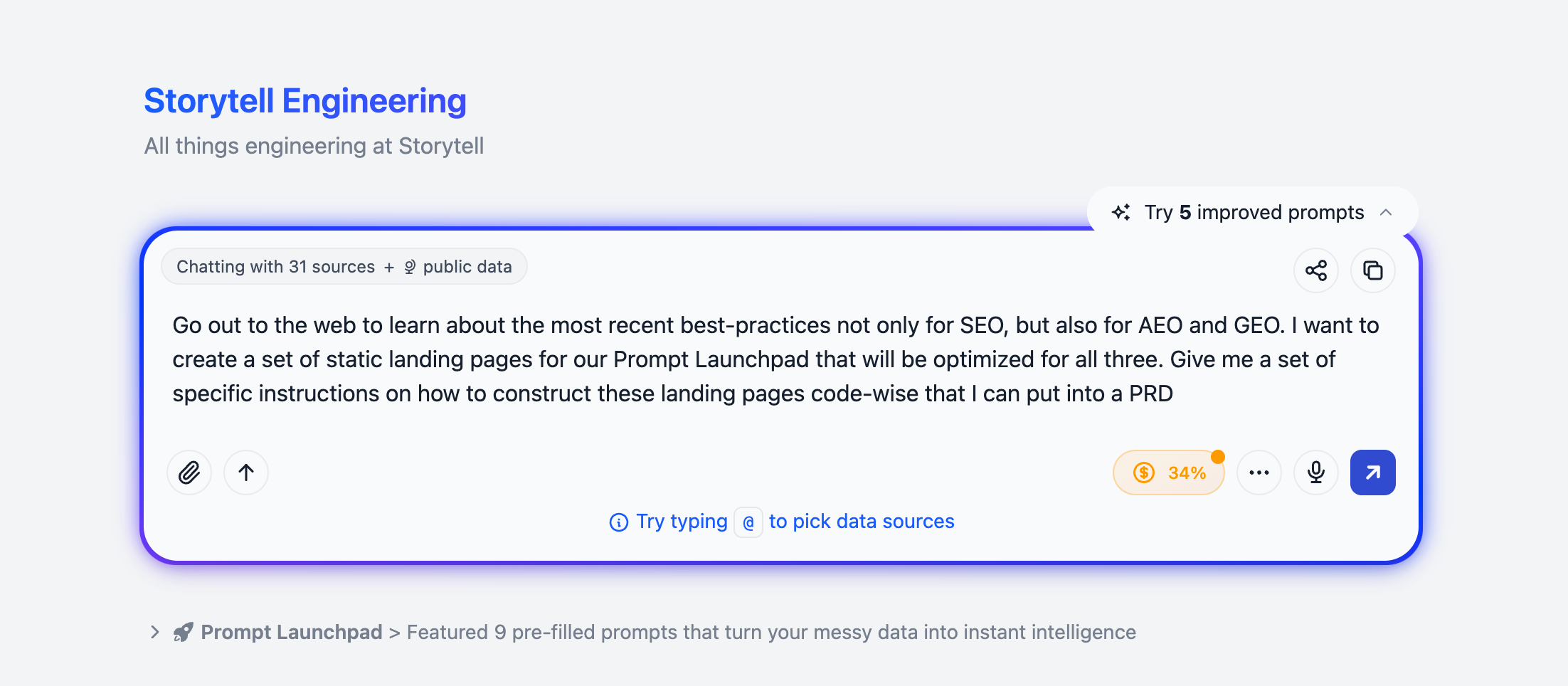
Next, I asked Storytell to research the latest best practices for SEO, AEO (Answer Engine Optimization), and GEO (Generative Engine Optimization). Storytell went out to the web and came back with current, specific recommendations.
What’s incredible here: Because I was doing this within my Engineering project (which already has context about our tech stack), Storytell gave me instructions specifically tailored to how we build things.
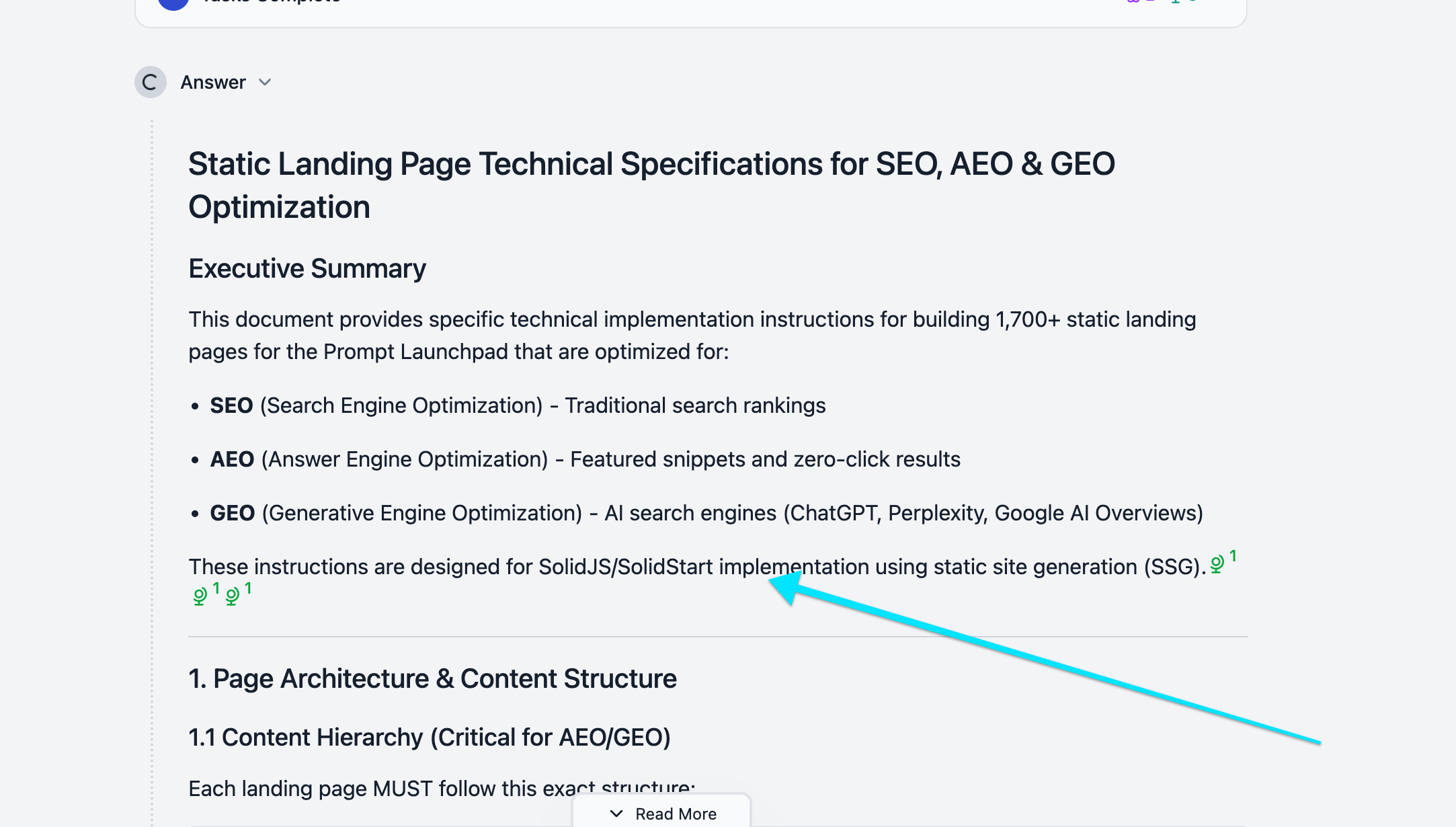
I added this output to project knowledge and labeled it with the same project label.
Now I had five assets all labeled “Project: Creating Static Landing Pages”:
My 15 minute conversation with Andi
Structured implementation guide from the transcript
Multi-lingual SEO advice from my engineer’s wife via Slack
SEO/AEO/GEO Best practices research from Storytell
Implementation approach for Andi’s part of the work
Time to generate the PRD. I clicked Chat and selected my project label to chat with.
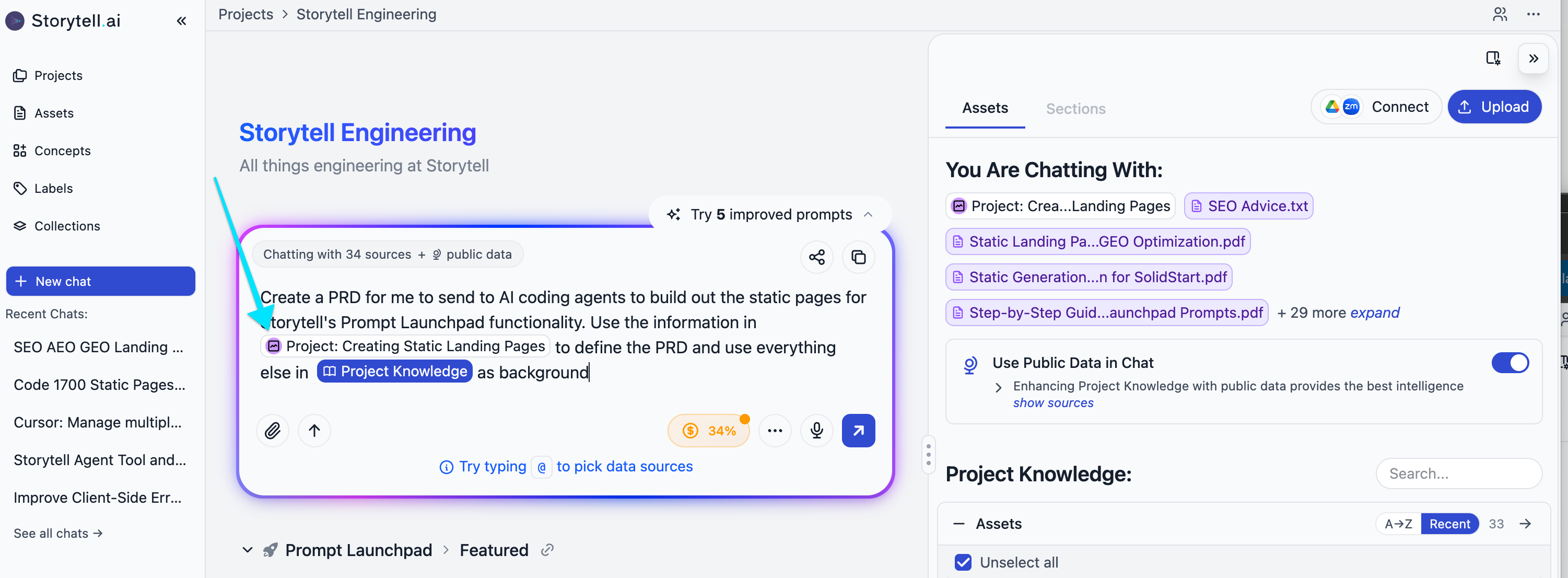
Here’s the nuance that makes this powerful: I expanded the chat scope to include all 33 sources in my Engineering project—things like recent Linear tickets, other documentation, technical context—but I used an @mention to focus Storytell’s attention.
My prompt: “Use the information in project:Creating Static Landing Pages to define the PRD and use everything else in the project knowledge as background.”
This way, Storytell pulls the specific requirements from my labeled assets while staying grounded in the broader context of how our system works.
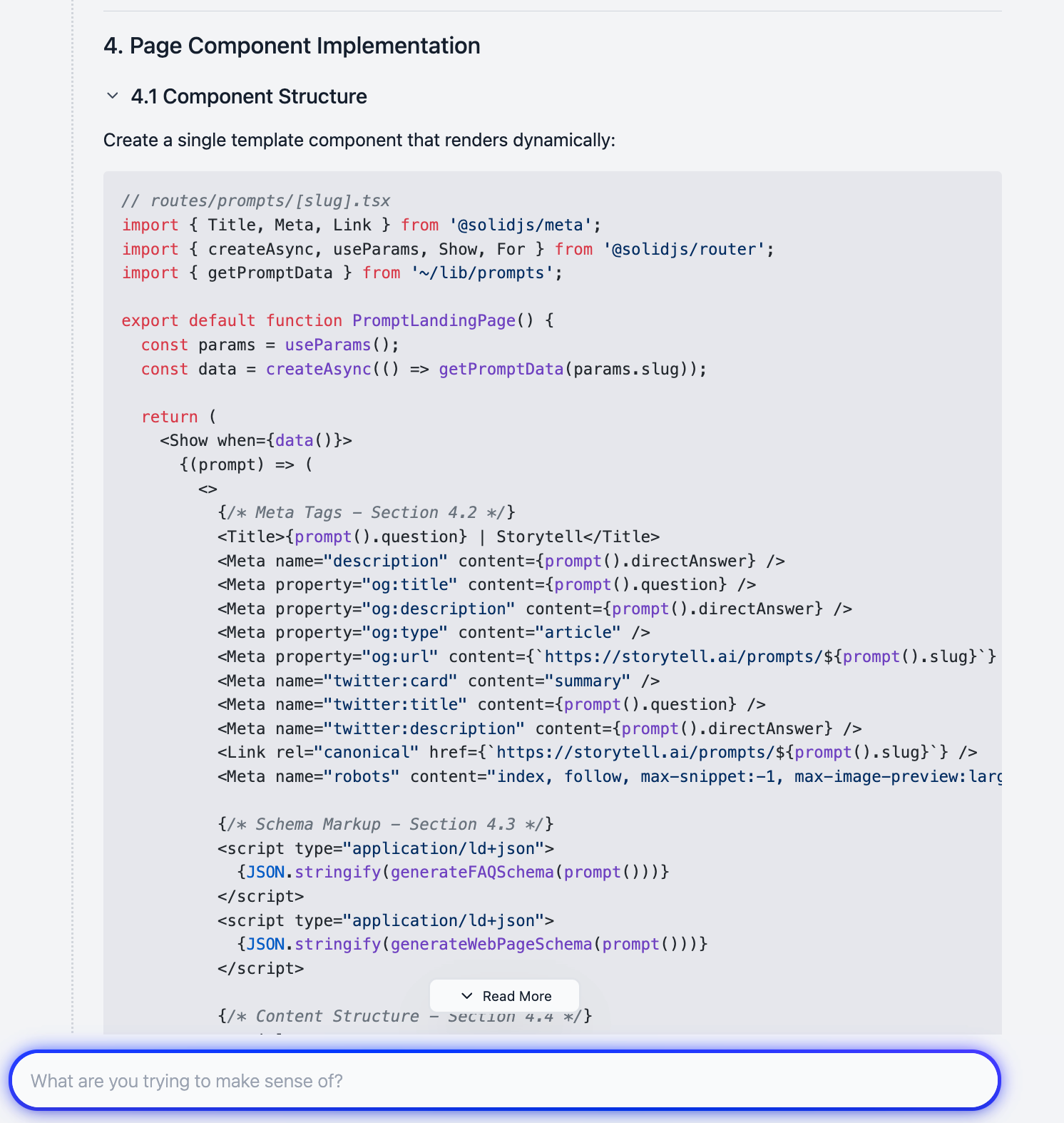
Hit send and watch. Storytell synthesizes everything—the technical conversation, the SEO advice, the best practices research—into a comprehensive PRD. Here are a few screenshots of its output:
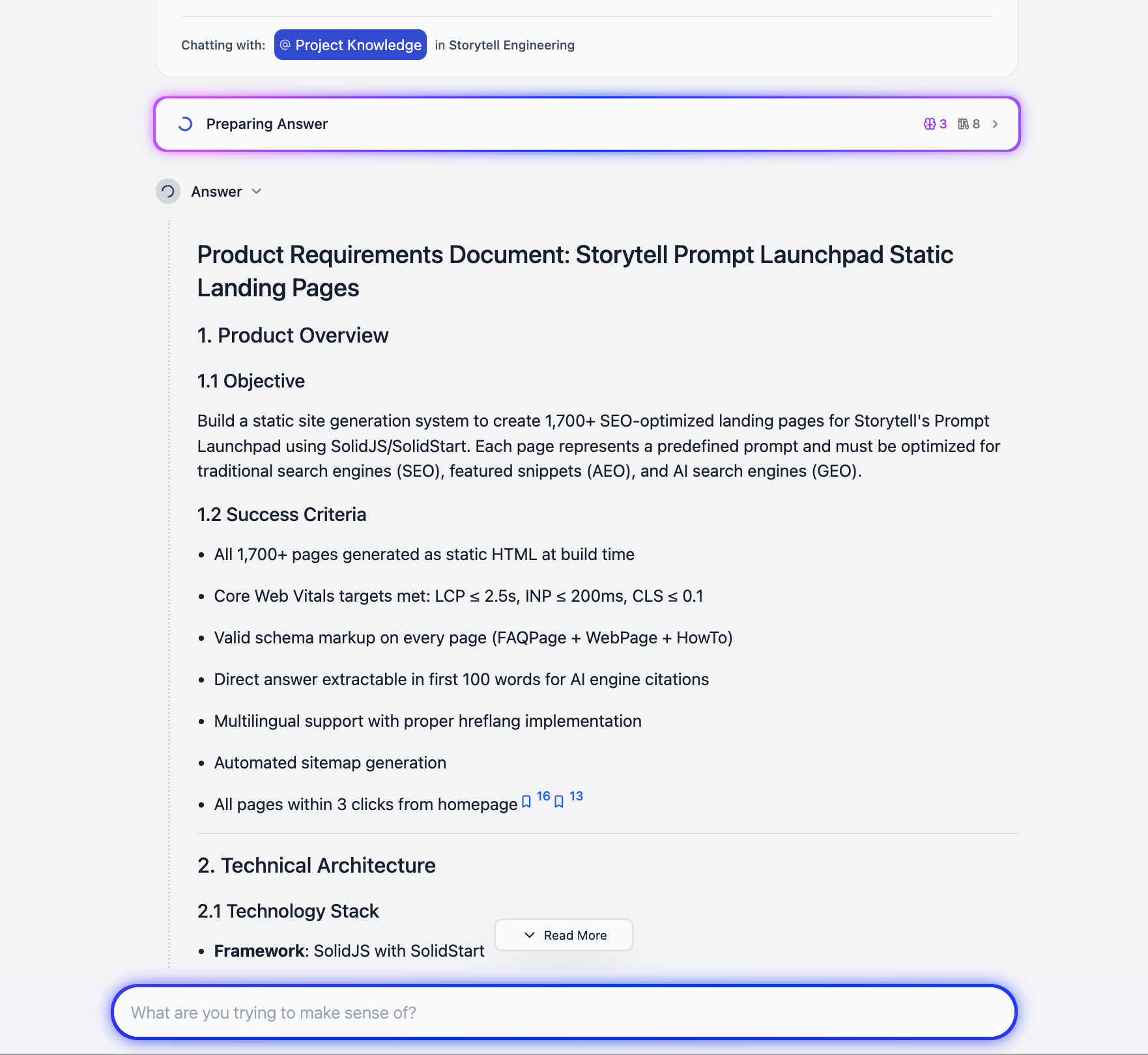
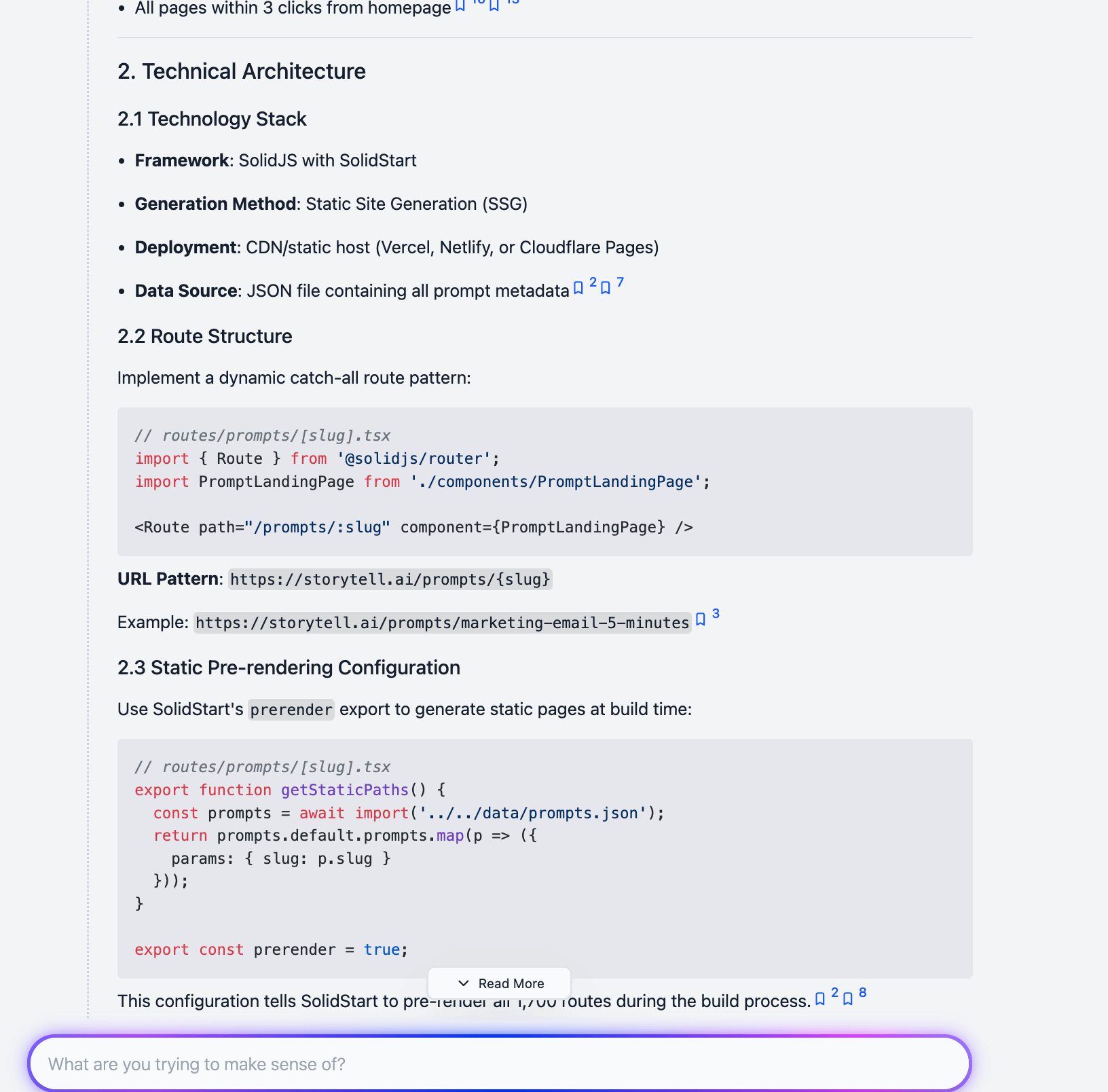
We use Linear to track our work. I copied the PRD from Storytell (you can copy as plain text or markdown), opened Linear, created a new ticket, and pasted the PRD directly in.
Now the work is officially tracked and defined.
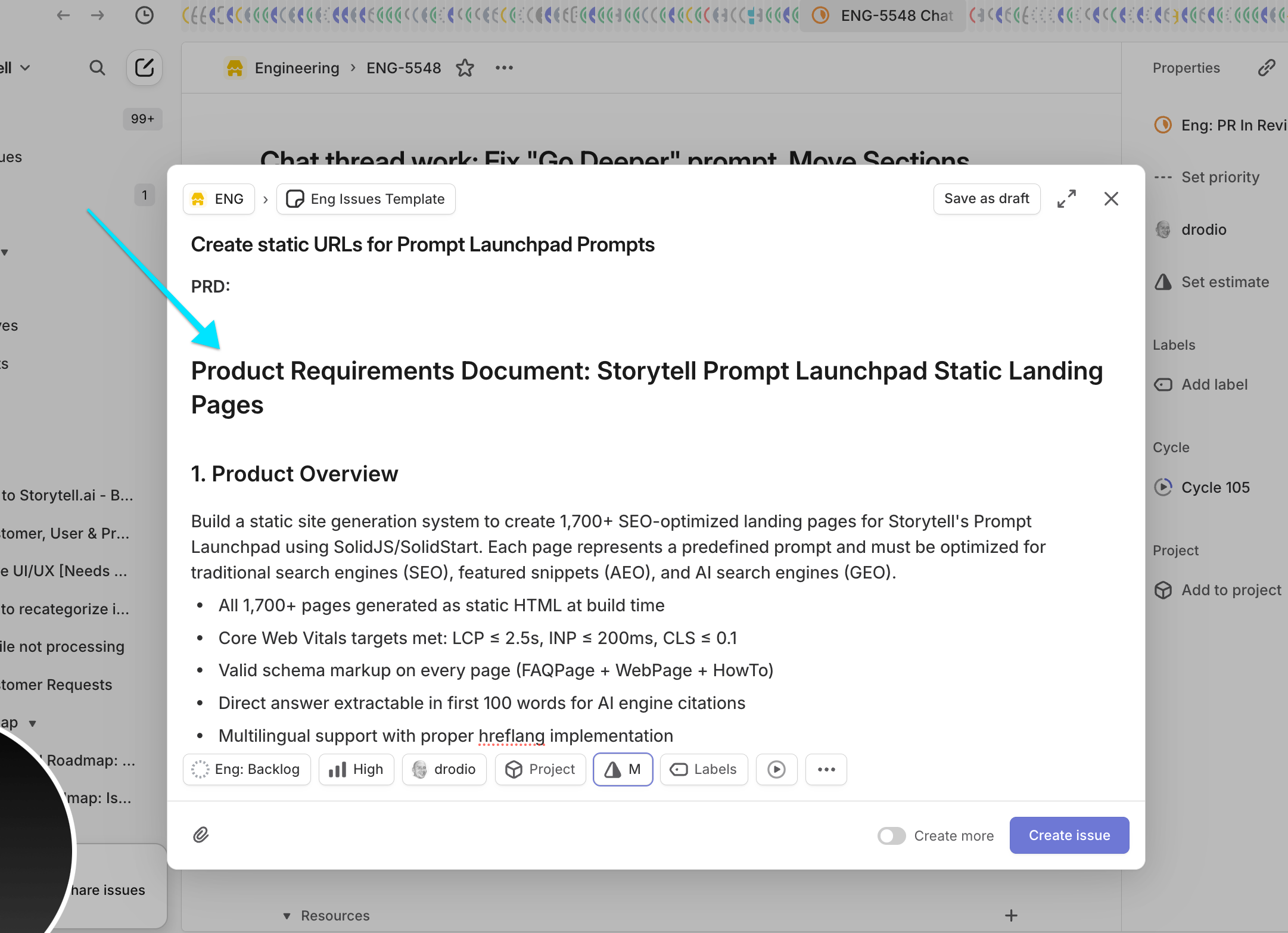
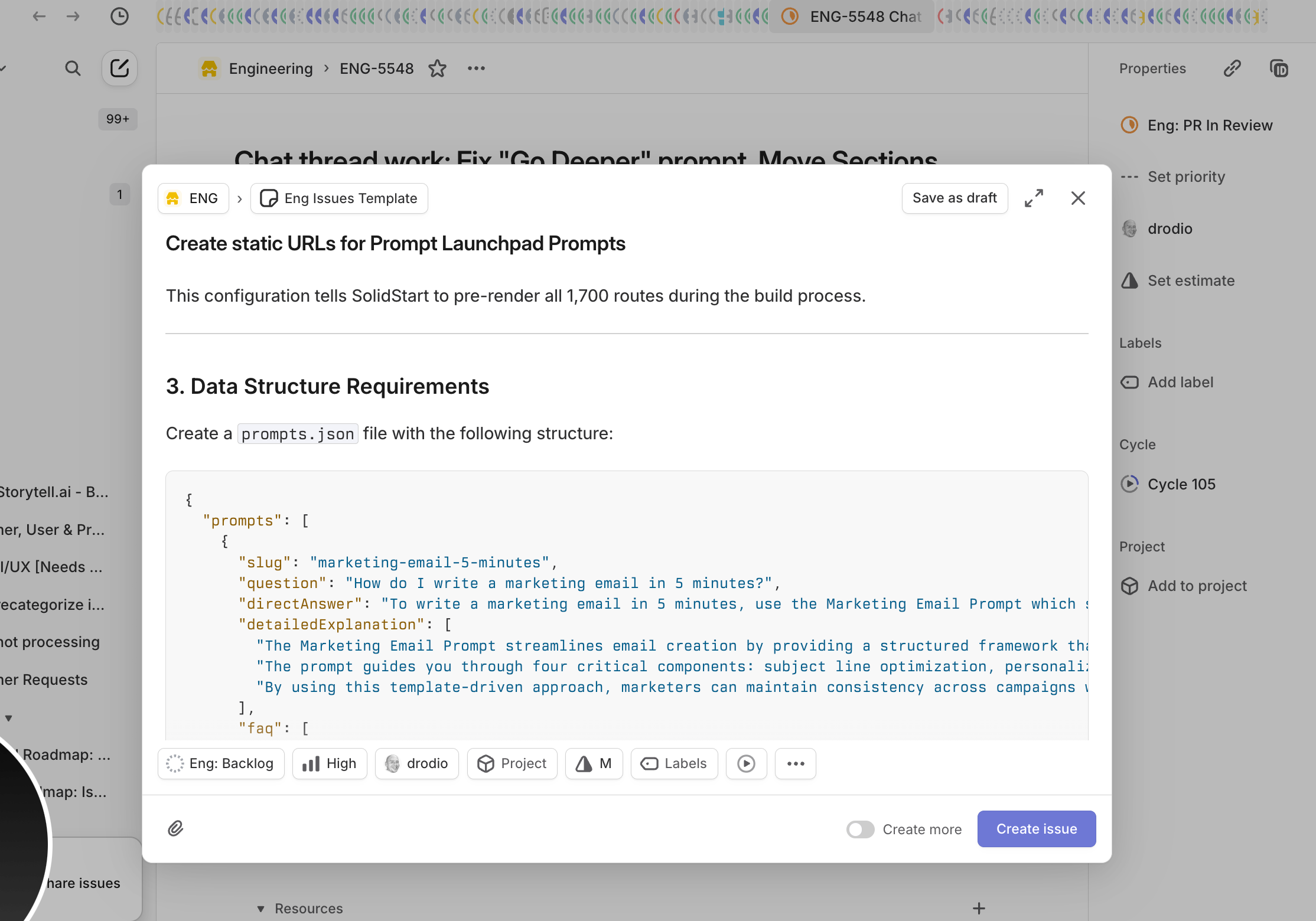
This is where it gets really fun. I use Cursor AI to vibe code, and I’ve set up Text Expander shortcuts to bridge Storytell and Cursor seamlessly.
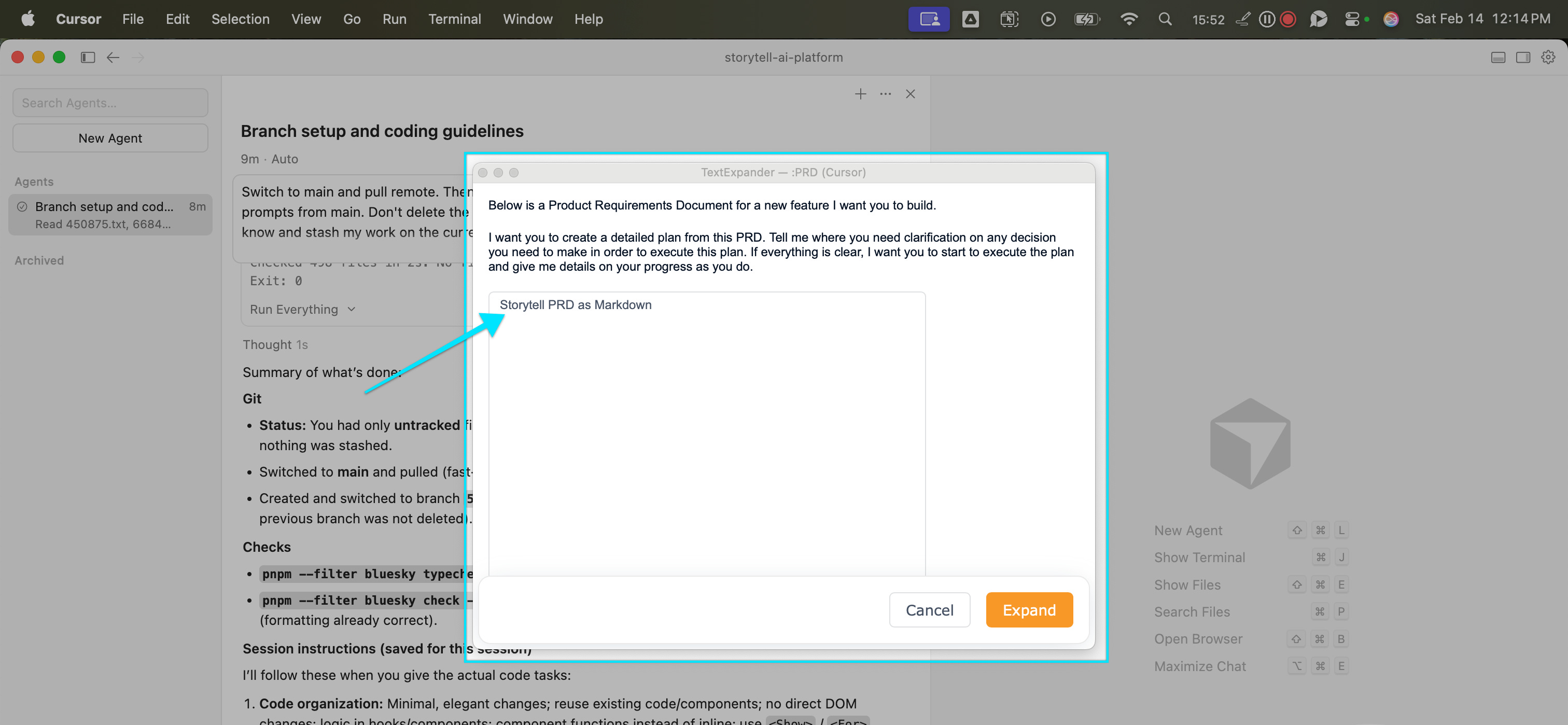
I typed my keyboard shortcut (:PRD), which opens a pre-formatted prompt for me to drop into Cursor. Then I went back to Storytell, clicked Copy as Markdown, and pasted the entire PRD into the Cursor prompt.
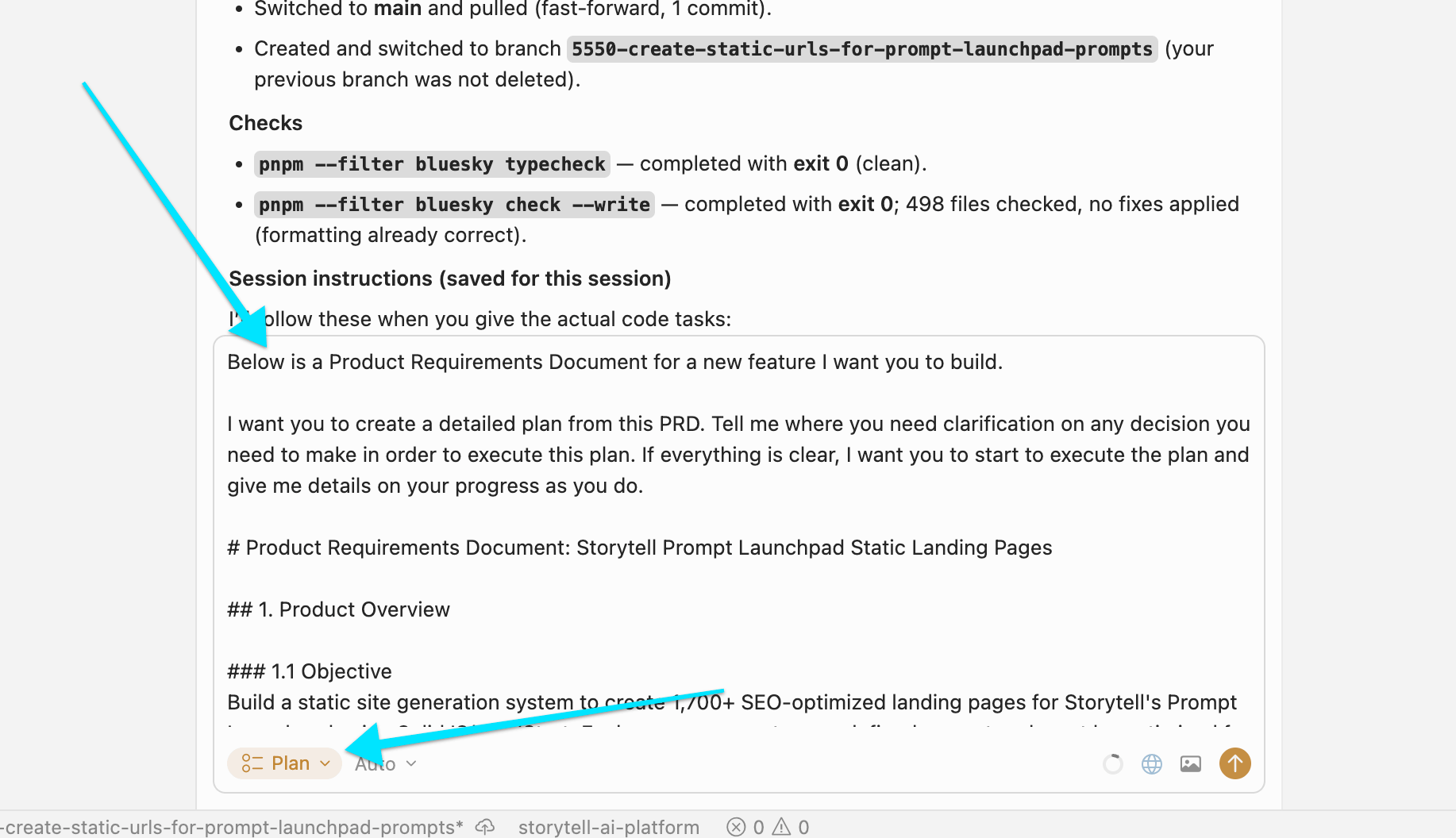
I clicked “Expand” to load the prompt, then selected Cursor’s Plan mode.
From this point, Cursor takes over. It’s reading the requirements I created—requirements that came from a real engineering conversation, augmented with expert SEO advice and current best practices, all synthesized into a coherent technical specification.
Cursor starts planning the architecture, asking clarification questions, drawing implementation plans.
The result: You’ve gone from meeting → transcript → PRD → active development in minutes, not days.
I’m not claiming you can just drink a Mai Tai while the robots ship features. There’s still plenty of human-in-the-loop work managing these agents. But here’s what’s fundamentally different:
Before Storytell: Conversations stayed conversations. Knowledge lived in people’s heads or scattered across Slack threads.
With Storytell: Every conversation becomes a building block. The unstructured chaos of how we actually work—transcripts, Slack messages, research outputs—gets transformed into structured artifacts that AI agents can execute on.
I built Storytell because I was drowning in this exact problem. As a CEO multiple past fast-moving startups, I was having five brilliant conversations a day and watching 80% of that insight evaporate.
The workflow I just showed you? That’s my daily reality now. Meeting with a subject matter expert (like Andi, in this case) → PRD in 15 minutes → code being written (and often shipped) before the end end of the day.
What makes this workflow powerful isn’t just speed (though that’s nice). It’s that I’m building organizational knowledge as I work.
That label “Creating Static Landing Pages” now contains five different perspectives on the same problem:
Engineering architecture (Andy’s transcript)
Implementation guidance (Storytell’s extraction)
SEO expertise (community knowledge)
Current best practices (research)
Technical context (our specific stack)
Next time I need to build a landing page, or onboard a new engineer, or explain our SEO approach, all of that lives in one labeled collection in Storytell.
The conversations don’t disappear anymore. They compound.
If you’re building software with AI coding agents, this workflow will change how you work. The key moves:
Capture conversations via Zight or Zoom or Otter or Firefly or Granola, etc.
Create Labels and Collections to do advanced data fencing to chat with just the most relevant data while using the rest of the data as context (like I did above by creating this PRD in our Storytell Engineering project)
Let Storytell synthesize: Don’t write PRDs from scratch. Focus on using human judgement to hone and edit AI-created first drafts
Bridge to your coding tool like Cursor, Claude Code, etc.
Build knowledge as you go and compound your insights
I’ve been building companies for 20 years. This is the first time the tools have caught up to how humans actually work: messy, conversational, iterative, collaborative.
And honestly? It feels like magic every single time.


